Did you know that Microsoft Word can read a document for you?
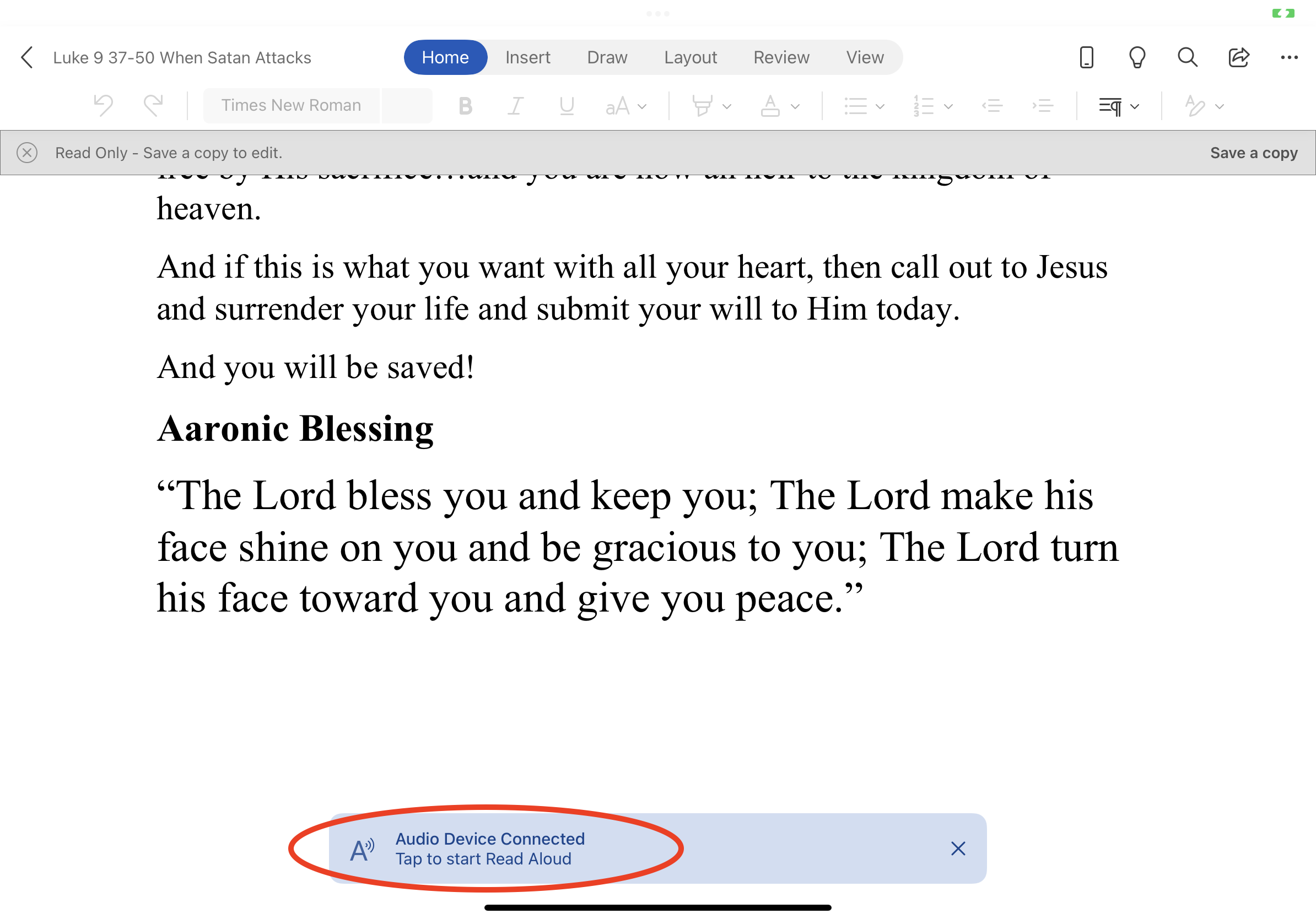
One day I opened up my pastor’s sermon in the Microsoft Word app on my iPad. I happened to have my earbuds in and a notification popped up on the screen prompting me to listen to words written in the document. So I pressed play! Take a look at the screenshot from my iPad below. See that option there on the bottom?
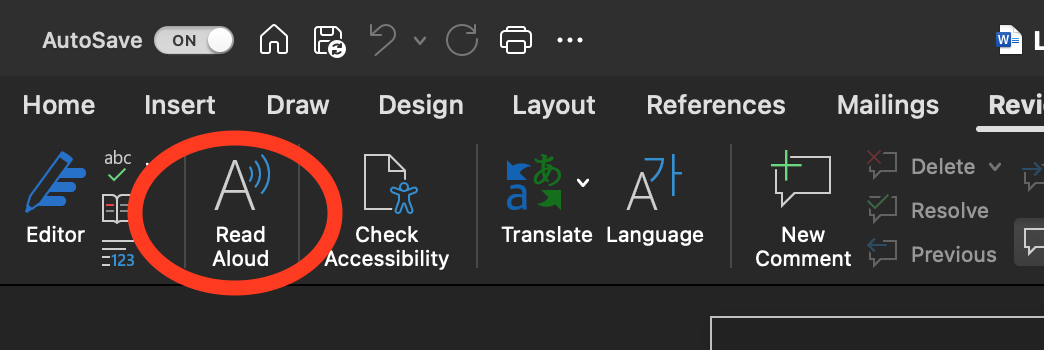
The Read option can also be used in the desktop version. You will see it on the menu bar. It says Read Aloud. I found this very helpful when I am proofreading. Look at this screenshot:
Give it a try! Not only is it a useful tool for proofreading, but also just for reading when you don’t have time to sit. You can just listen!